
 Aulora Beta, with a live demo
Run the whole university from one record
Aulora brings admissions, student records, attendance, timetables, fees, exams and compliance onto a single student record, with an Autopilot that does the remembering, chasing and retyping. Every run is in a log you can read, and most can be undone. Built by STASX for universities in Australia and India.
One click as a student, teacher, registrar or finance officer. No sign up, and every person in it is made up.
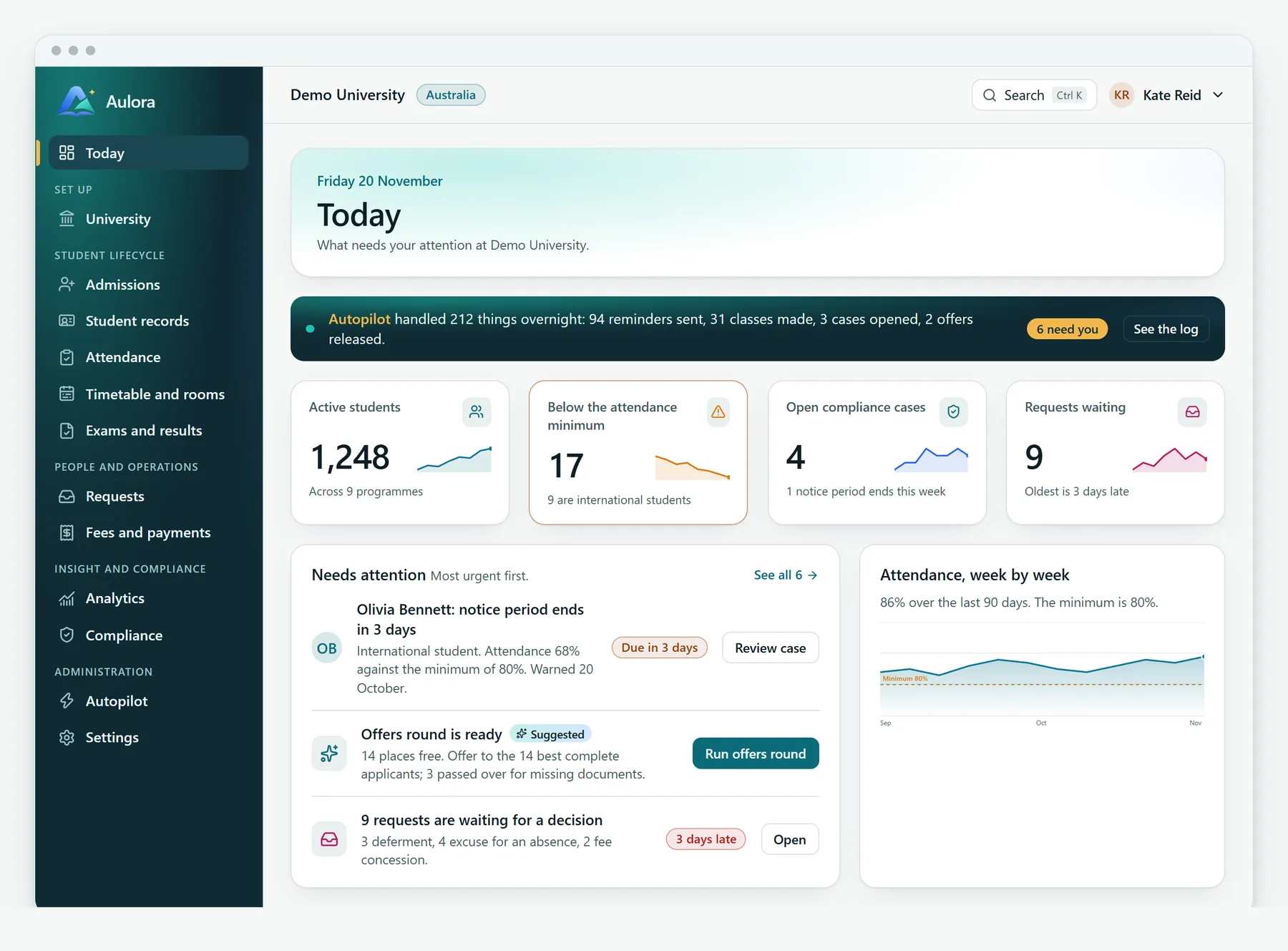
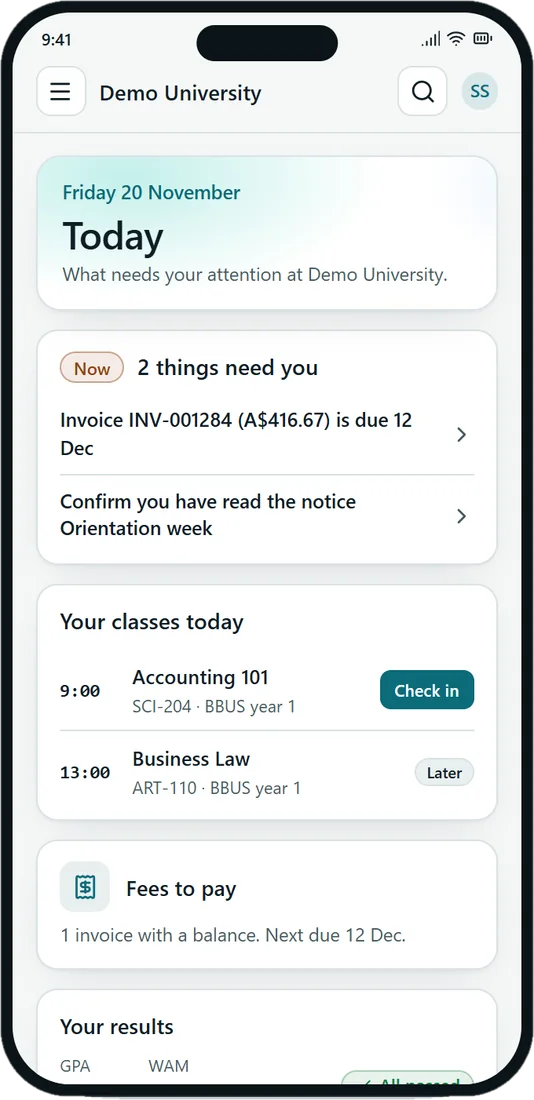
Pictures on this page are drawn from the product's own design. They are not screenshots, and every person shown is made up.
Not a table of every record. A system that does the work.
Most university software is a place to keep records, so people spend their days remembering, chasing and retyping. Aulora is built around four shifts, and every module follows them.
A work queue, not a table
Each module opens on what needs a person, with the evidence and the action beside it. Everything else is handled.
A prepared preview, not a blind form
Before anything bulk or cascading, an impact preview says what will change, what is left for you, and what is good to know.
The thing done, not a reminder to do it
Autopilot does routine work and writes every run to a log. Runs that send messages can be taken back while they are unread.
An answer with its reasons, not a report to read
A student's page says how at risk they are and why, and briefs you for the meeting. It is worked out from the records, with nothing hidden.
Every module, on one student record
A tour of five of the thirteen. They share one record, so a mark in Attendance reaches Compliance, Student 360 and the student without anyone retyping it.
Check in that leaves evidence
Students check in from the browser on their phone. The system confirms what it can and puts only the doubtful marks in front of a teacher.
- A six digit code that changes every 30 seconds by itself, worked out from the clock
- The server checks the code, the time window, the distance to the room's outline and a key held by the phone
- Classes are made from the timetable a week ahead, and a cancelled or moved class tells its students
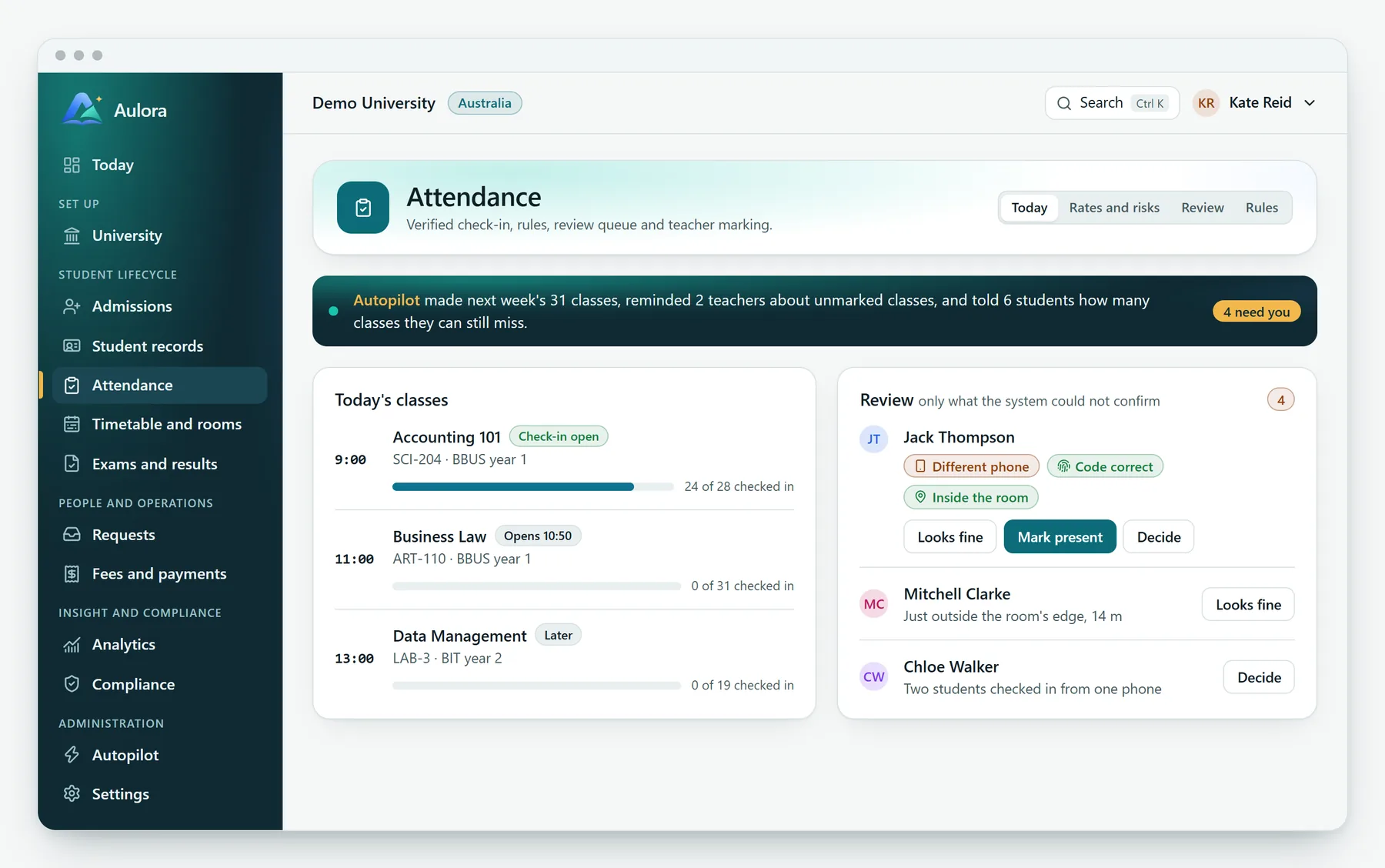
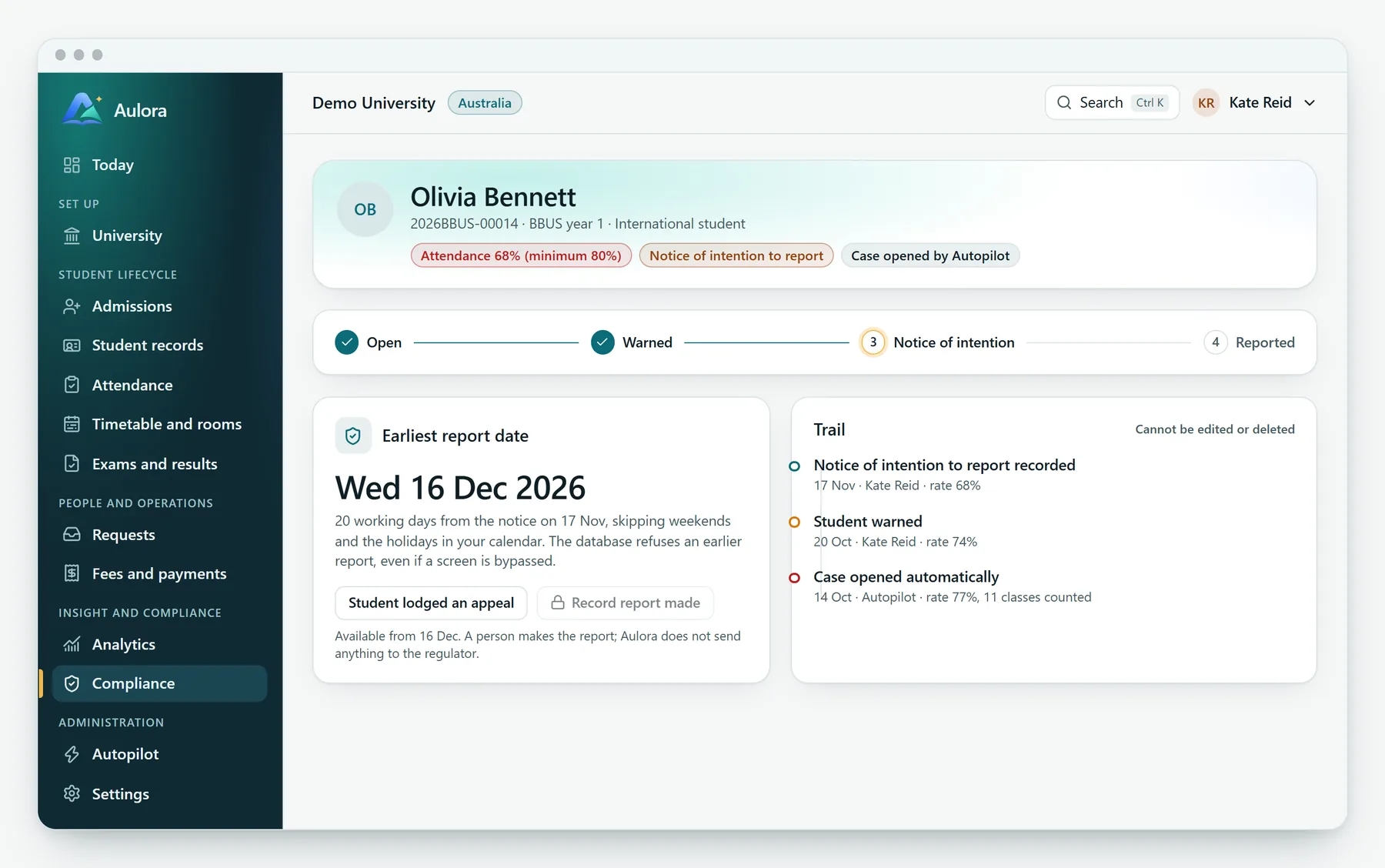
A case that opens itself
When a saved mark takes a student under the minimum, a case opens with the rate and the classes counted. A person decides what happens next.
- Open, warned, notice of intention and reported, each step recorded on a trail that cannot be edited
- The earliest report date is worked out from working days and your holiday calendar
- Aulora prepares the case. A named person makes the report
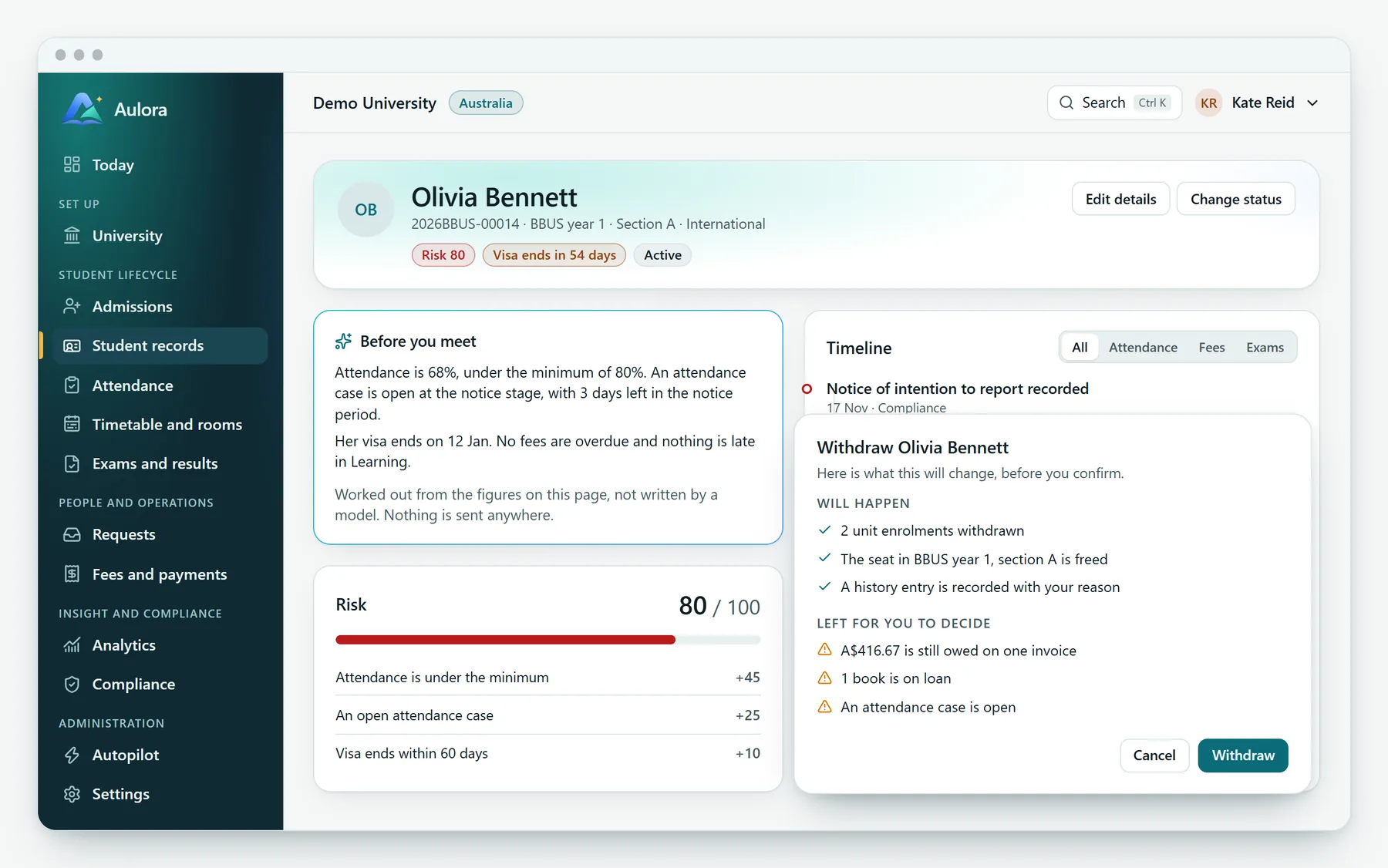
One page for the whole student
Attendance, fees, exams and cases on one page, with a risk score that says exactly why it is what it is.
- A short brief before you meet, worked out from the figures on the page and not written by a model
- A timeline across attendance, fees and exams
- An impact preview before a withdrawal, showing what will happen and what is left for you to decide
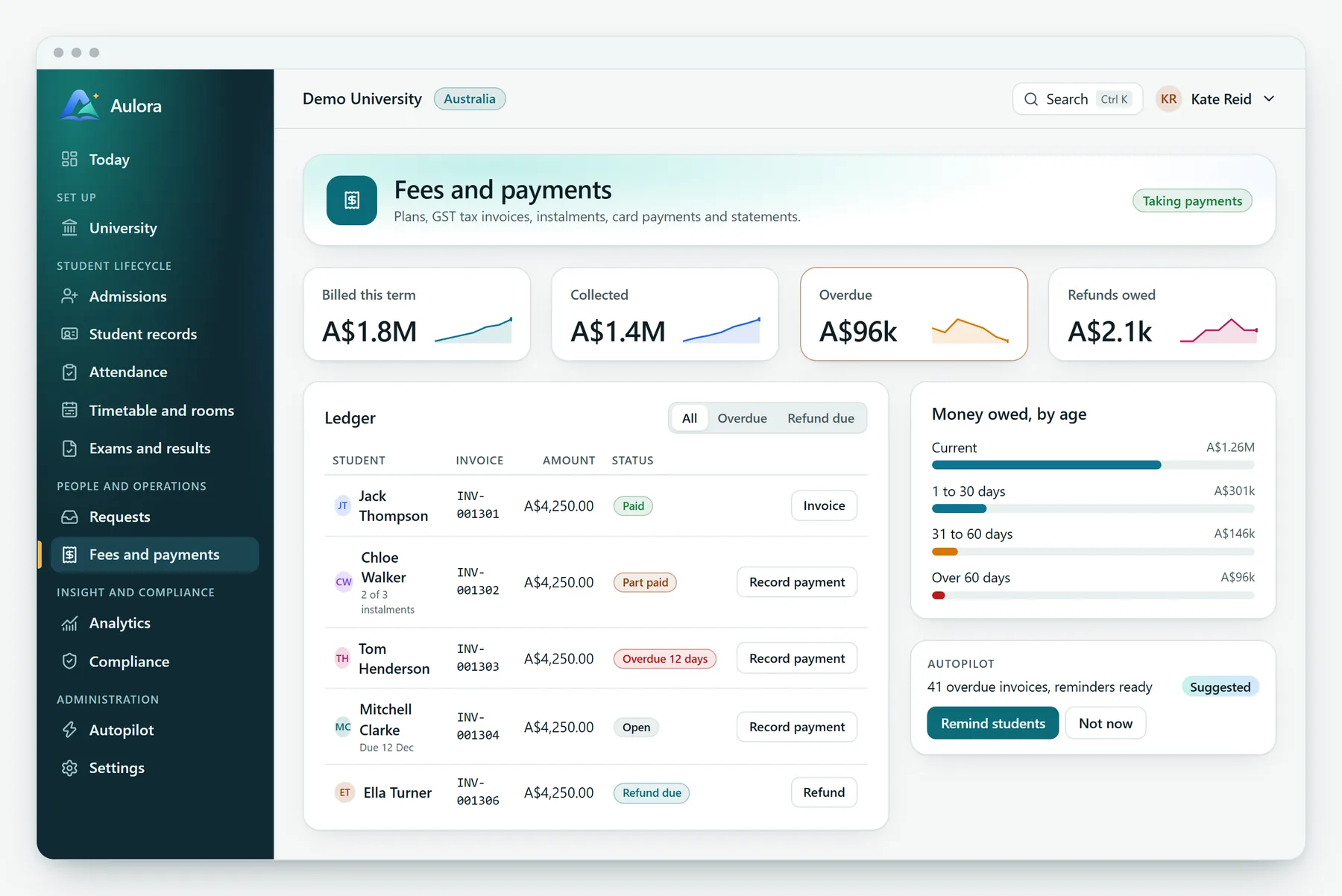
Invoices, instalments and receipts
Finance teams see what is paid, part paid and overdue. Students pay by card from their phone.
- Plans, invoices, payments, credit notes and statements
- Instalments and secure card payment through Stripe
- Ageing of what is owed, so overdue fees are chased early
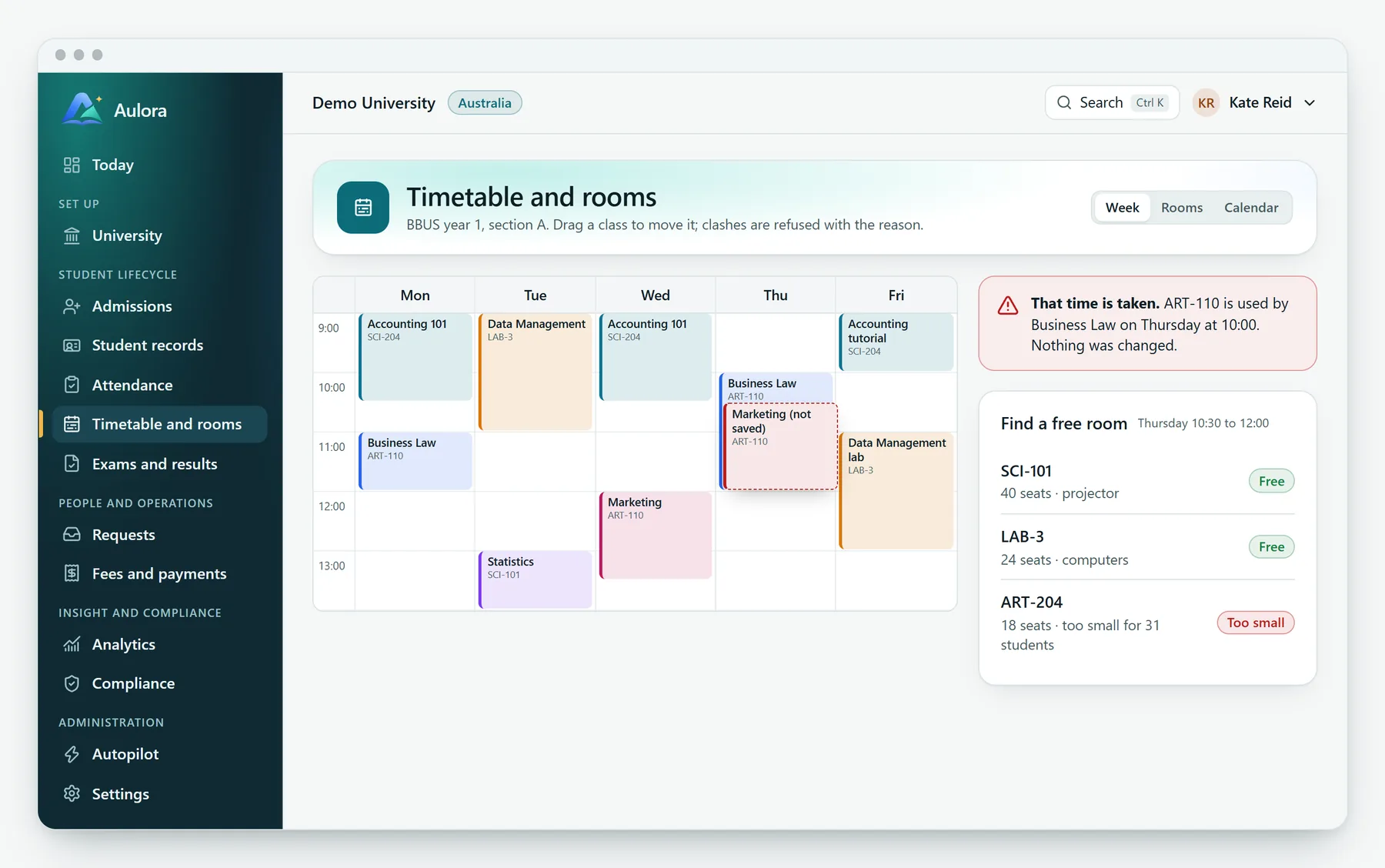
A timetable that tells people
Classes are made from the timetable ahead of time. When one is cancelled or moved, the students in it are told straight away.
- Classes are made from the timetable a week ahead
- Cancelling closes check in and stops the class counting
- Restoring a class brings it back and tells students again
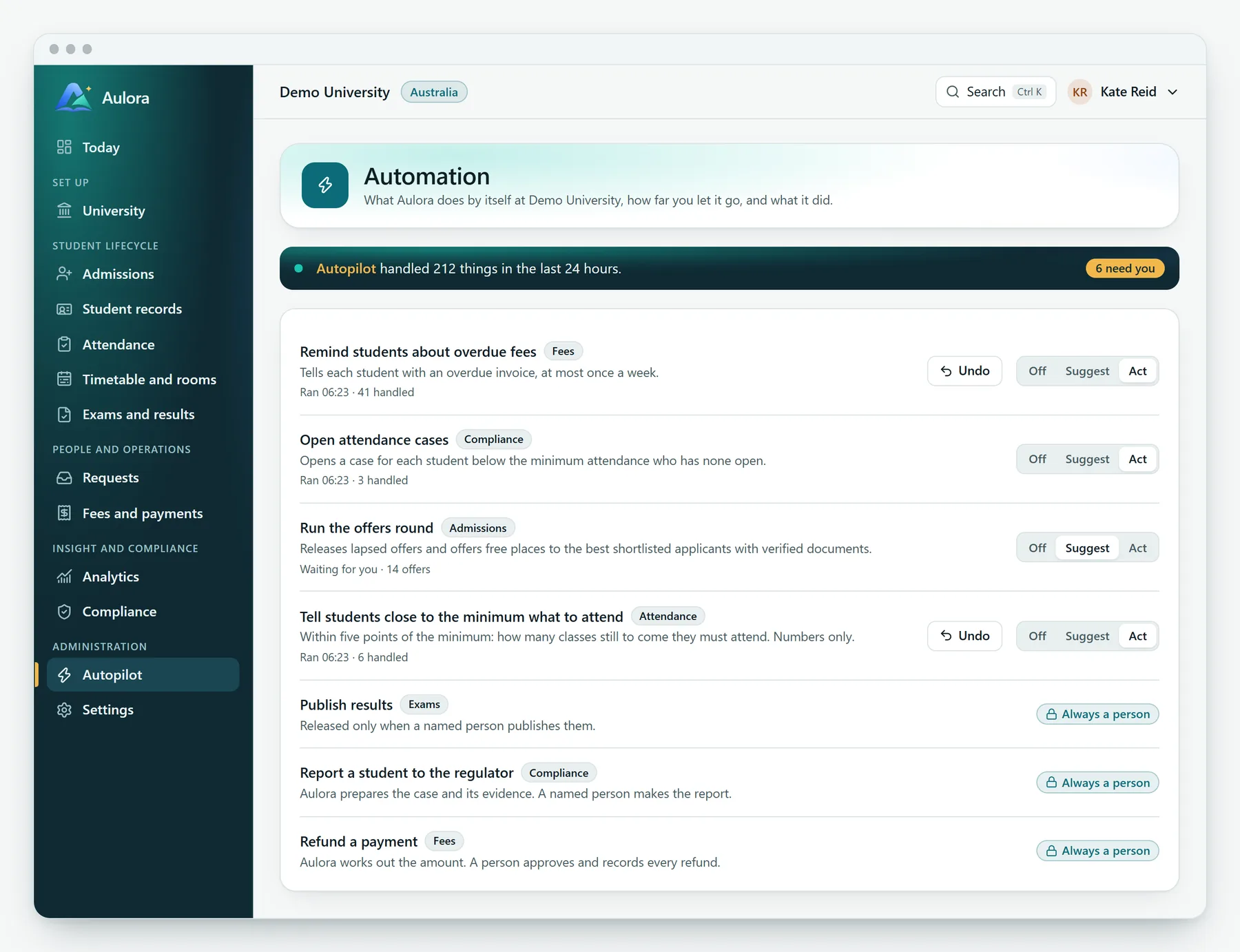
It does the routine. You decide how far it goes.
27 automations across 12 modules, from reminding a teacher about an unmarked class to opening an attendance case. Each university chooses, for each one, how far it may go. Every run is in a log a person can read.
Suggest
Aulora prepares the work and a person confirms it. The default for anything that sends or changes something.
Act
Aulora does it and records it. For routine work such as reminders. Most runs can be undone while the messages are unread.
Always a person
Publishing results, reporting a student to the regulator and refunds are never automatic. Aulora prepares, a named person signs.
Aulora in your pocket
One app for students and one for staff. They open fast, work with a poor connection and use the same records as the web app. Students can also check in from the browser on their phone, with nothing to install.
A student's day
Classes, what needs them, fees and results.
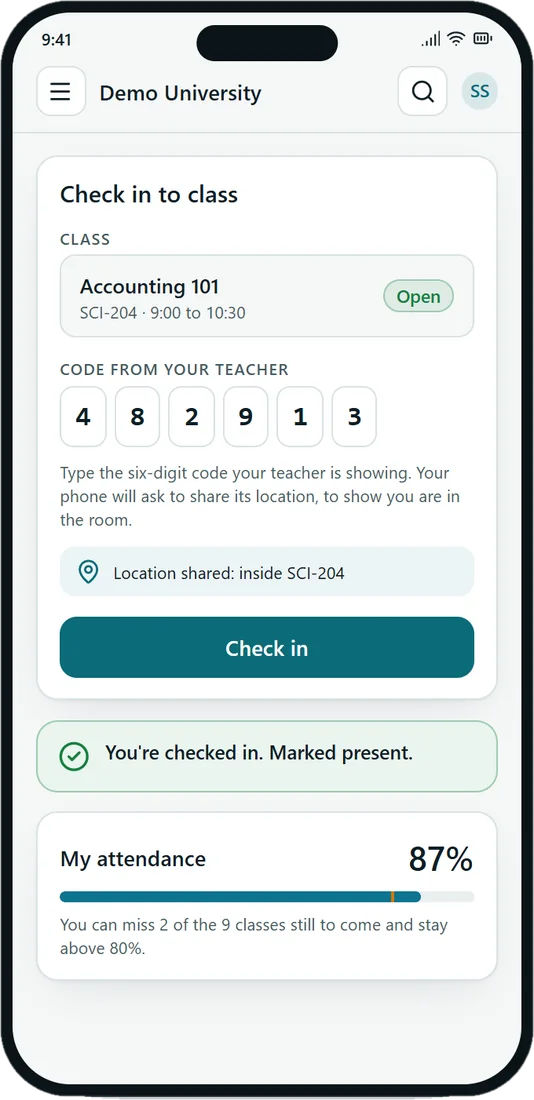
Check in
The teacher's code and the room's location, signed by the phone.
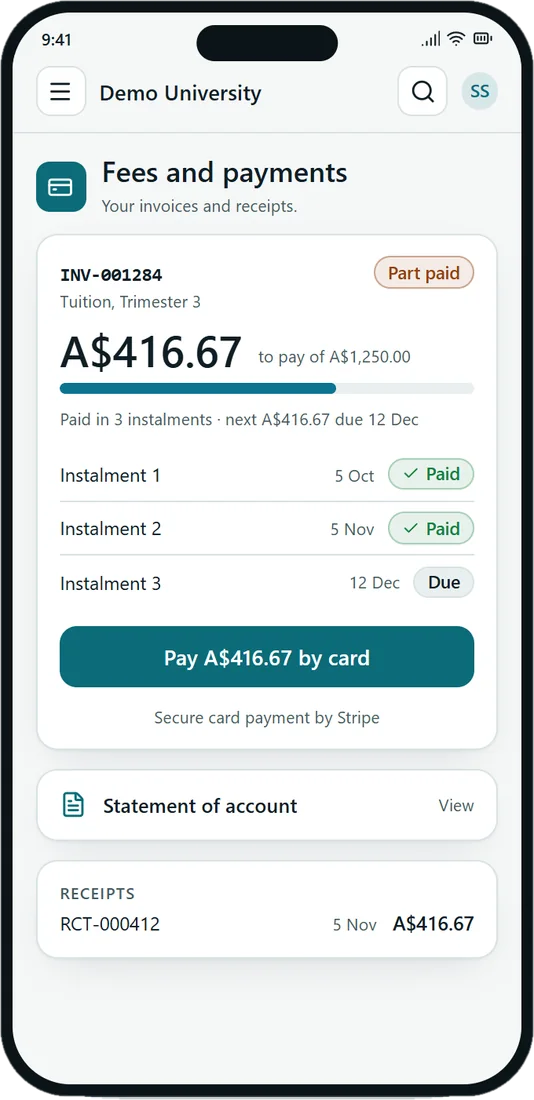
Paying a fee
Instalments and card payment through Stripe.
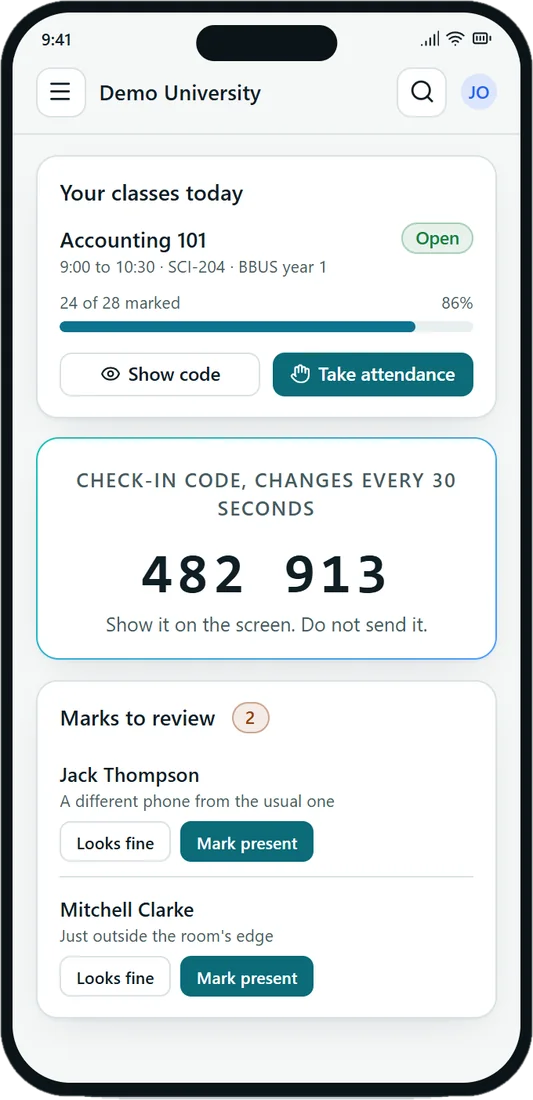
A teacher's class
Code, marking and the marks to review.
Privacy and control come first
Everyone opens to their own Today page, built from what they are allowed to do. The database decides who may see what, so a screen can never show more than a person is permitted.
13 modules, one record
Switch on only what you use. They share one student record.
Stored in Sydney
Data is kept in an Australian region.
Two step sign in
Staff sign in with an authenticator step.
English and Hindi
For universities in Australia and India.
Aulora is still being built. Its own Security page lists what is in place and what is still to come.
Everything in one place
The website, the live demo and the web app, exactly as Aulora lists them.
See Aulora run a university day
Try the live demo, or talk to us about bringing Aulora to your university.